Instagram Carousel
A 5–10 slide carousel post built from your sermon's key points, ready to design and publish on Instagram.
The Instagram Carousel breaks your sermon's main message into a swipeable series of slides. Each slide covers one idea, keeps the text short enough to read at a glance, and builds naturally toward a closing call to action. Carousels consistently outperform single-image posts for saves and shares — making them one of the highest-reach formats for churches on Instagram.
What You'll Get
A set of 5–10 slides, where:
- Slide 1 is a hook or title slide designed to stop the scroll and invite a swipe
- Middle slides each carry a short title (three to six words), up to 80 words of body text, and a scripture reference where it fits naturally
- Final slide is a call to action — join us, watch the full sermon, follow for more
Every slide includes a slide number so your designer knows the sequence.
Editing and Customizing
Open the output
From your sermon's page, click the Instagram Carousel tile. Slides appear in a scrollable list.

Click to open your carousel slides Review the flow
Read through the slides in order. The structure should feel like a natural progression — each slide building on the last. If a slide feels out of place or repeats a previous one, click its text to edit it.
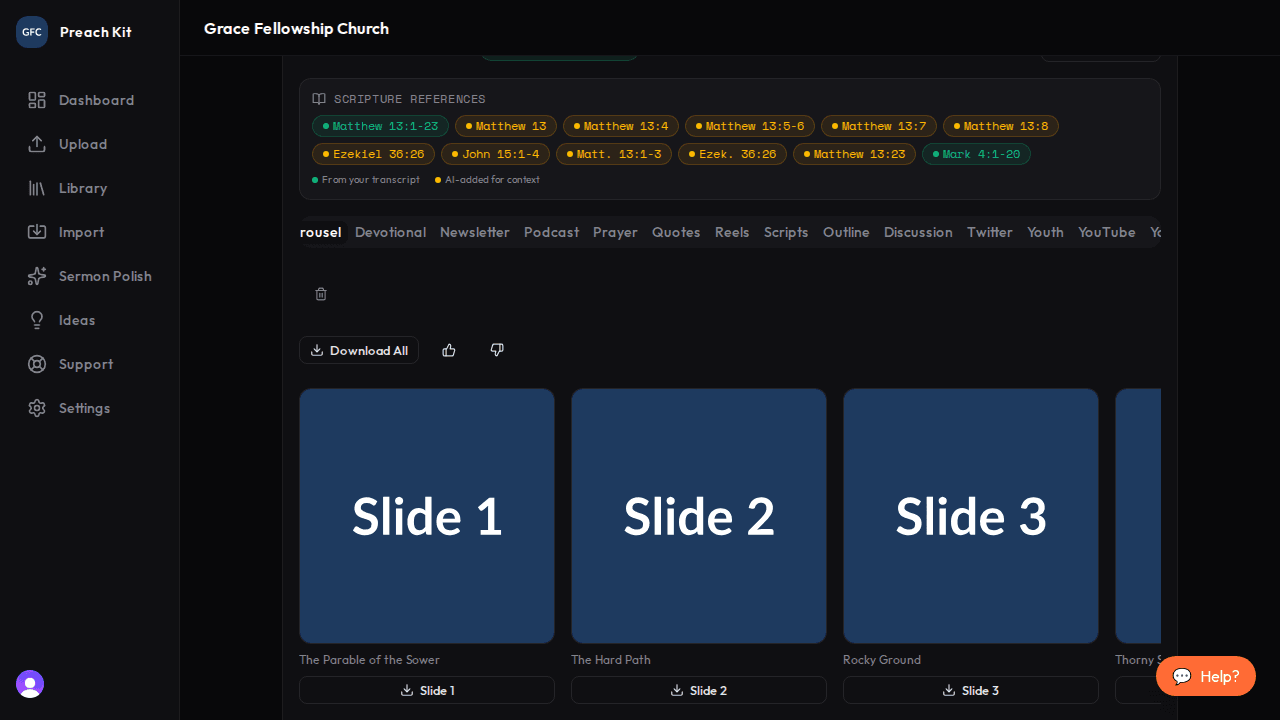
Each slide is a separate card you can edit Copy the content
Use the Copy All button to copy every slide's content to your clipboard as structured text, or copy individual slides one at a time. Paste into Canva, your design system, or hand the text off to your graphics team.
Carousels perform best when the first slide creates genuine curiosity — a provocative question, a surprising fact, or a bold statement. If the generated hook feels flat, try rewriting just the first slide's title before passing it to design.
Tips for Best Results
- Sermons with three to five clearly distinct main points tend to produce the strongest carousels. Each point becomes its own slide, with breathing room for an intro and a CTA.
- Keep the body text on each slide at the shorter end — 40–60 words reads better than 80 in a visual format. You can trim directly in the editor.
- Ask your designer to keep a consistent branded template. If the slide text changes every week but the layout stays the same, your carousel series builds recognition over time.
Plan Availability
Instagram Carousel is available on all paid plans.
Common Questions
How many slides will I get? Between 5 and 10, depending on how many distinct points the sermon contains. Shorter, tightly structured sermons produce fewer slides; longer multi-point messages may produce more.
Can I reorder the slides? The output viewer does not support drag-to-reorder at this time. Copy the text and reorder slides in your design tool, or edit the first and last slide in the viewer and adjust the order in Canva.
Do I need to design these myself? PreachKit produces the text content only. You or your design team bring the visual design. Canva has free and paid carousel templates sized for Instagram (1080×1080 px) that work well as a starting point.
What's Next?
Complement your carousel with a Twitter/X Thread covering the same points in a text-first format, or see the overview for all 16 content types.