X/Twitter Thread
A 5–8 tweet thread from your sermon, every tweet under 280 characters, ready to post on X (formerly Twitter).
The X/Twitter Thread packages your sermon's key insights as a flowing series of tweets. Each tweet is a standalone thought, but together they tell the arc of the message — from an opening hook to a closing call to action. Threads tend to get more reach than single tweets because they give people a reason to keep clicking through.
What You'll Get
A thread of 5–8 tweets:
- Tweet 1 — a hook written to grab attention and make someone want to read the rest
- Middle tweets — each carrying one key insight from the sermon, with line breaks for readability and scripture references woven in where relevant
- Final tweet — a call to action (watch the sermon, visit the website, or follow your Instagram account if you have one set in your profile)
Every tweet is kept strictly under 280 characters, so you can post them directly without editing for length.
Editing and Customizing
Open the output
From your sermon's page, click the X/Twitter Thread tile. Each tweet appears as its own card with a character count displayed below it.

Click to open your thread Review character counts
Each card shows how many characters the tweet uses. If a card shows a count above 280, edit it until the count drops — the counter updates as you type.
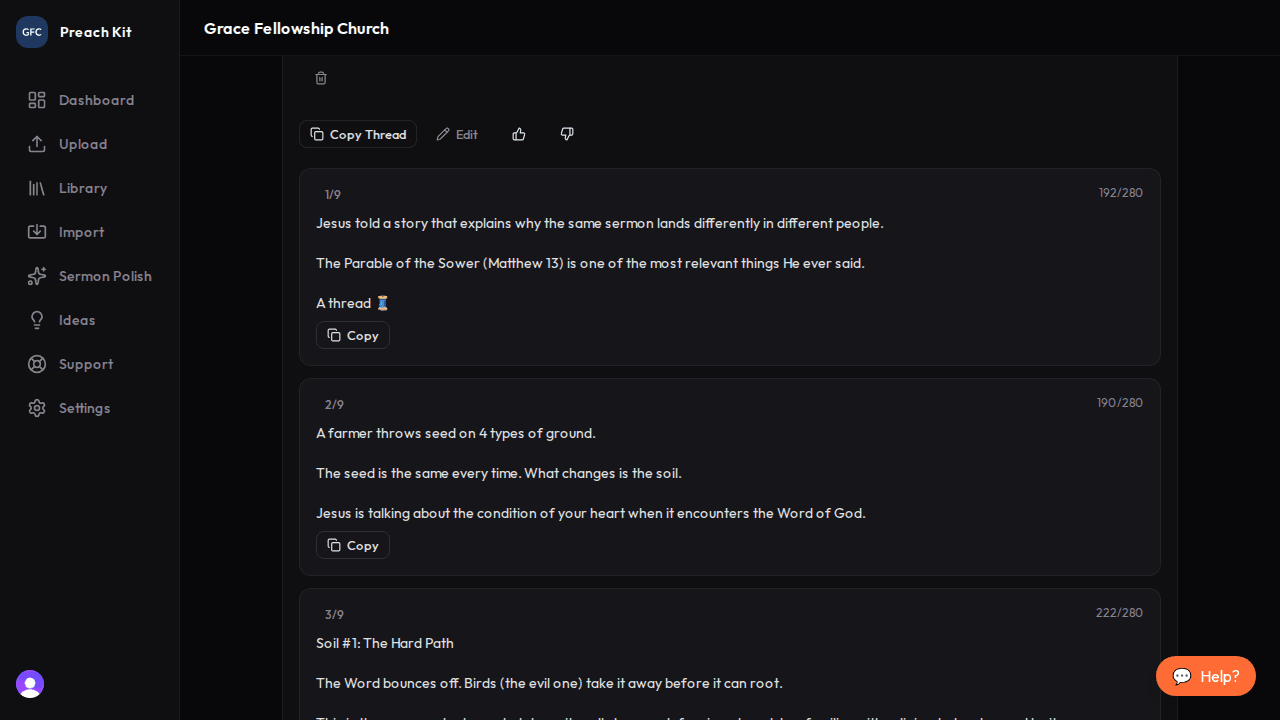
Character counts help you stay within the limit Copy and post
Copy each tweet individually to post them in sequence on X, or use a scheduling tool like Buffer or Hootsuite that supports threads. Paste tweet 1, then reply to yourself with tweet 2, and so on.
The best threads open with a hook that creates a knowledge gap — something the reader does not know yet but wants to. If the first tweet feels too tame, rewrite it to be bolder. A thread that nobody reads past tweet 1 does not accomplish much.
Tips for Best Results
- Threads work especially well for sermons with a clear argument or progression — where each point builds on the last. Single-theme or narrative sermons also translate well.
- Add line breaks inside tweets (press Shift+Enter on desktop X) to create visual breathing room. PreachKit already formats tweets with line breaks where it makes sense.
- If your church has an Instagram account set up in the profile, PreachKit will include a follow prompt in the last tweet automatically.
Plan Availability
The X/Twitter Thread is available on all paid plans.
Common Questions
Can I regenerate if I want a different angle? Yes — click Regenerate for a new set of tweets. Each regeneration uses one generation credit.
What if I want more or fewer tweets? The output will naturally be 5–8 tweets based on the sermon's content. You can delete cards you do not want or manually add a tweet in the text editor and post it inline.
Does PreachKit post directly to X? No — PreachKit generates the text. Posting is done by you or your social media team, either directly on X or through a scheduling platform.
What's Next?
Pair your thread with an Instagram Carousel for full cross-platform coverage, or return to the overview to see all 16 content types.