Newsletter
A ready-to-send email newsletter draft with subject line, preview text, and a warm 300–500 word summary of your sermon.
The Newsletter output produces a complete email draft your team can paste directly into Mailchimp, ConvertKit, or any email platform and send — subject line and all. It summarizes the sermon's key message in a warm, accessible tone and includes a clear call to action for people who were not in the room.
What You'll Get
A ready-to-use email with four components:
- Subject line — under 60 characters, written to maximize open rates
- Preview text — up to 90 characters, the snippet readers see in their inbox before opening
- Body — 300–500 words summarizing the sermon's central message in an approachable, pastoral voice, written to be understood by someone who did not attend
- Call to action — inviting readers to listen to the full sermon, join a small group, or visit your church website
If you have a speaker name, website URL, or Instagram handle set in your church profile, PreachKit incorporates them into the sign-off and CTA automatically.
Editing and Customizing
Open the output
From your sermon's page, click the Newsletter tile. The full draft opens with the subject line, preview text, and body displayed clearly.

Click to open the email draft Personalize the copy
Click anywhere in the draft to edit. Common things to customize: add your pastor's personal sign-off at the bottom, adjust the CTA to match whatever response action your church is currently promoting (a series, an event, a giving campaign), and tweak the subject line if the generated one does not feel like your voice.
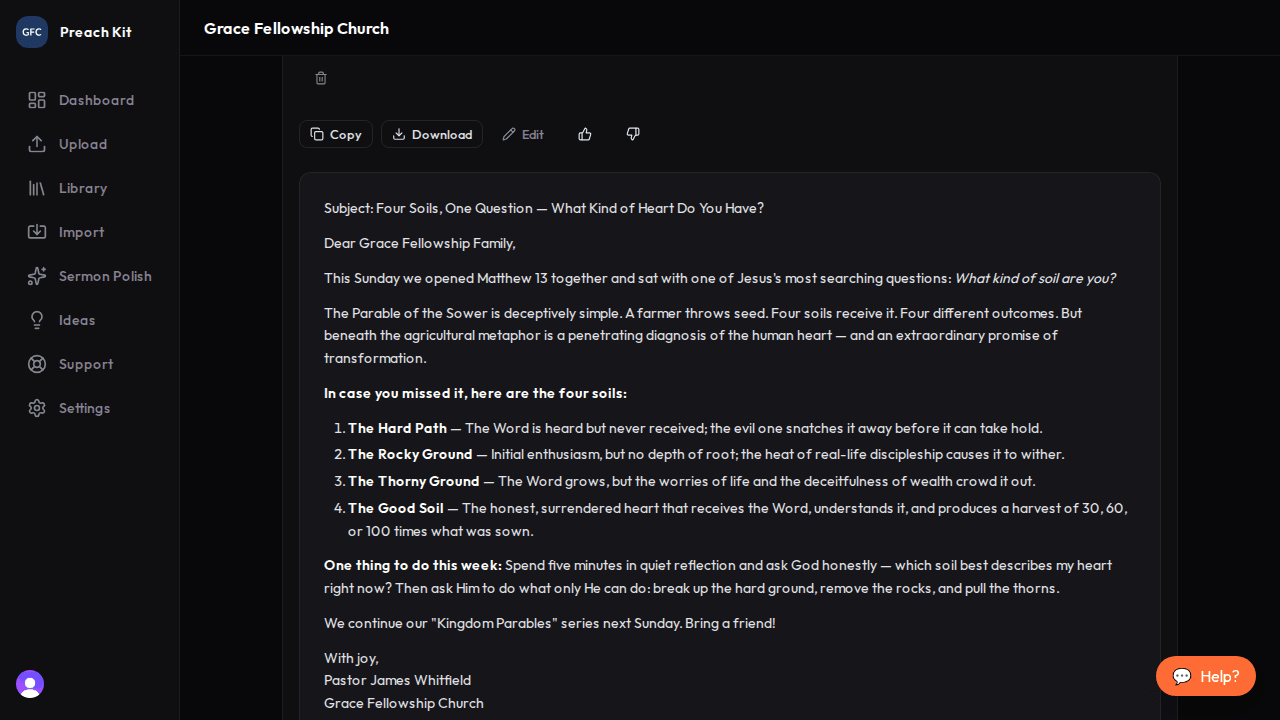
Edit any section directly in the viewer Copy and paste into your email platform
Click Copy to copy the full draft. Paste into your email editor. Add your church header image, footer links, and unsubscribe block as usual — PreachKit handles the words, your platform handles the layout.
Send your newsletter within 48 hours of the Sunday service while the message is still fresh in your congregation's mind. Open rates drop significantly the further you get from the weekend.
Tips for Best Results
- The newsletter is written for readers who may not have been in the room, so it intentionally explains context that an in-person attendee would know. This makes it effective for reaching your broader email list, not just regular attenders.
- If your church is in a series, mention the series name in the body or CTA — your email list may not track week-to-week and the context helps.
- Keep the subject line as-is for the first send and see how it performs. Subject line testing is worth doing, but the generated line is a solid baseline.
Plan Availability
The Newsletter is available on all paid plans.
Common Questions
Can I regenerate? Yes — use the Regenerate button. Each regeneration uses one generation credit.
Is the newsletter the same as the blog post? No. The Blog Post is a full 800–1,200 word article with subheadings, formatted for a website. The newsletter is shorter (300–500 words), warmer in tone, formatted for an inbox, and comes with a subject line and preview text.
What email platforms does this work with? Any platform that accepts pasted text — Mailchimp, ConvertKit, ActiveCampaign, Constant Contact, Flodesk, and others. The output is plain text with clear section labels, not HTML, so it pastes cleanly everywhere.
What's Next?
Send your newsletter, then give your small groups a Discussion Guide to go deeper with the same message. Or see the overview for all 16 content types.