Podcast Show Notes
Complete podcast show notes for your sermon episode — episode title, timestamped segments, key quotes, scriptures, and listener questions.
Podcast Show Notes turn your sermon into a complete episode listing. If your church publishes its sermons as a podcast — on Apple Podcasts, Spotify, Buzzsprout, or any other platform — the Show Notes output gives you everything the host platform needs in one place.
What You'll Get
A clean, structured set of show notes containing:
- Episode Title — engaging and searchable, written for podcast directories
- Episode Description — a 2–3 sentence summary for the directory listing (what listeners see before they press play)
- Timestamped Segments — key topic transitions with timestamps, formatted as
00:00 - Topic - Key Quotes — three to five notable lines from the sermon worth highlighting
- Scripture References — a complete list of every passage mentioned
- Resources Mentioned — any books, concepts, or references cited in the sermon
- Discussion Questions — three reflection questions for listeners to sit with after the episode
If you have a speaker name, website, or YouTube channel in your profile, PreachKit links to those in the show notes automatically.
Editing and Customizing
Open the output
From your sermon's page, click the Podcast Show Notes tile. The full notes appear in a readable layout.

Click to open your show notes Review the timestamps
Timestamped segments are estimated from the transcript. If your final edited audio differs from the raw recording (because you trimmed an intro or removed a break), adjust the timestamps before publishing.
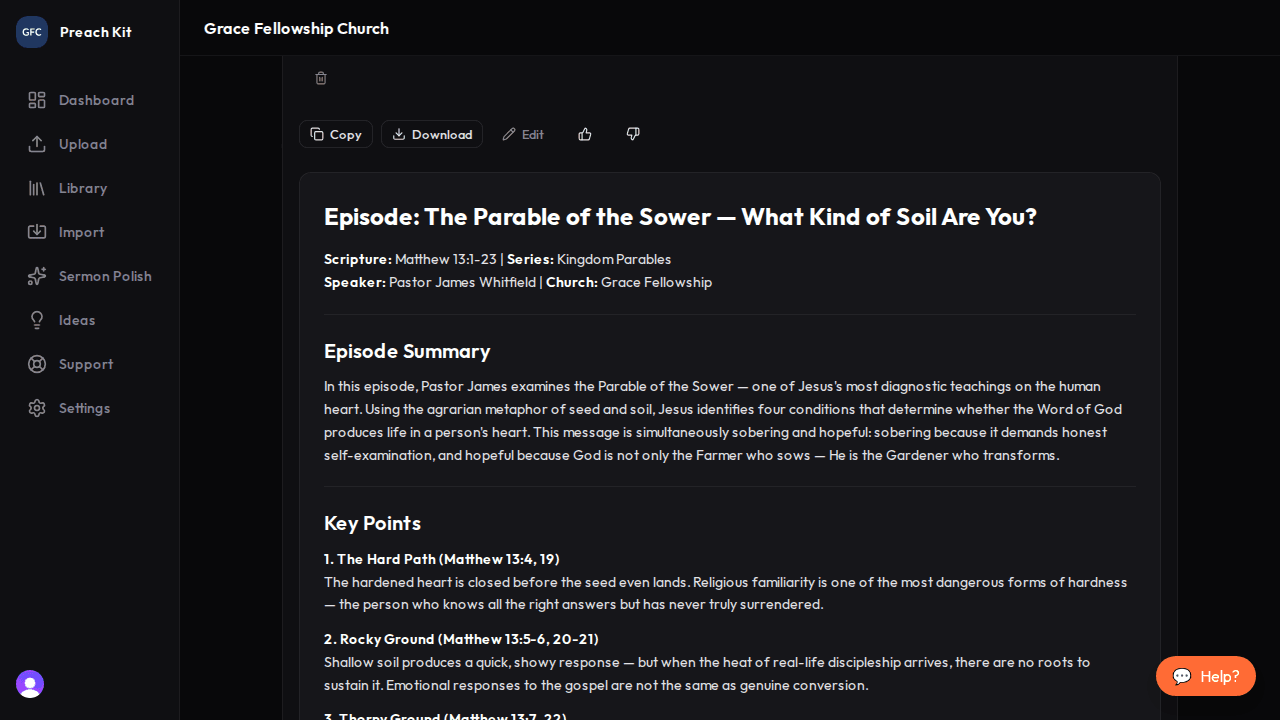
Edit timestamps and review quotes before copying Copy and paste into your podcast host
Click Copy. Paste into the show notes field in Buzzsprout, Anchor, Transistor, or whichever platform your church uses. Most platforms accept plain text — the structured headers and bullet points will render cleanly.
Strong podcast titles follow the "Who + What + Why it matters" formula. If the generated title feels too generic, try editing it to include a specific idea from the sermon: "Why Forgiveness Feels Impossible (and What to Do About It)" outperforms "Forgiveness — Episode 12" every time.
Tips for Best Results
- If your church records both a video (for YouTube) and an audio-only podcast, generate both YouTube Description and Podcast Show Notes from the same sermon. The content is similar but formatted differently for each platform's conventions.
- The Resources Mentioned section is only as accurate as the transcript. If the pastor referenced a book title that was slightly garbled in the audio, edit it after generating.
- The discussion questions double as group reflection content — feel free to share them with your small group leaders even if they do not listen to the podcast version.
Plan Availability
Podcast Show Notes are available on all paid plans.
Common Questions
Can I regenerate? Yes — click Regenerate. Each regeneration uses one generation credit.
What if my church does not have a podcast? Skip this one. If you are considering starting a podcast, show notes are one of the most time-consuming parts — having PreachKit generate them for every episode is a significant time saver.
Does PreachKit submit my episode to podcast directories? No. PreachKit generates the show notes text. Publishing and distributing the episode is done through your podcast hosting platform.
What's Next?
Extend the conversation after the episode with a Small-Group Discussion Guide, or see the overview for all 16 content types.