Sermon Outline
A structured notes handout with fill-in-the-blank sections, scripture references, and a memory verse — for print or digital distribution.
The Sermon Outline produces a formatted notes handout your congregation can follow along with during the service, keep in their Bible, or refer back to during the week. It captures the full structure of the message — main points, sub-points, supporting scriptures — and includes interactive fill-in-the-blank blanks and a memory verse.
What You'll Get
A structured outline formatted with clear hierarchy, containing:
- Sermon Title — drawn from the message
- Primary Scripture Text — the main passage
- Introduction — a one-to-two sentence summary to orient the reader
- Main Points — numbered with Roman numerals, sub-points with letters and numbers, including:
- Fill-in-the-blank sections (displayed as underscores:
"God's love is _______") - Supporting scripture references per point
- Brief explanatory notes
- Fill-in-the-blank sections (displayed as underscores:
- Application — practical takeaways from the sermon
- Notes Section — blank lines where congregants can jot their own thoughts
- Memory Verse — one key verse chosen for memorization
If you have a speaker name set in your church profile, it appears in the handout header.
Editing and Customizing
Open the output
From your sermon's page, click the Sermon Outline tile. The full outline opens in the viewer.

Click to open the outline Review and adjust the structure
Check that the main points match the actual progression of the sermon. The outline is derived from the transcript, so if you deviated from your notes during delivery, the outline reflects what was actually said, not what was planned. Edit any point that needs adjusting.
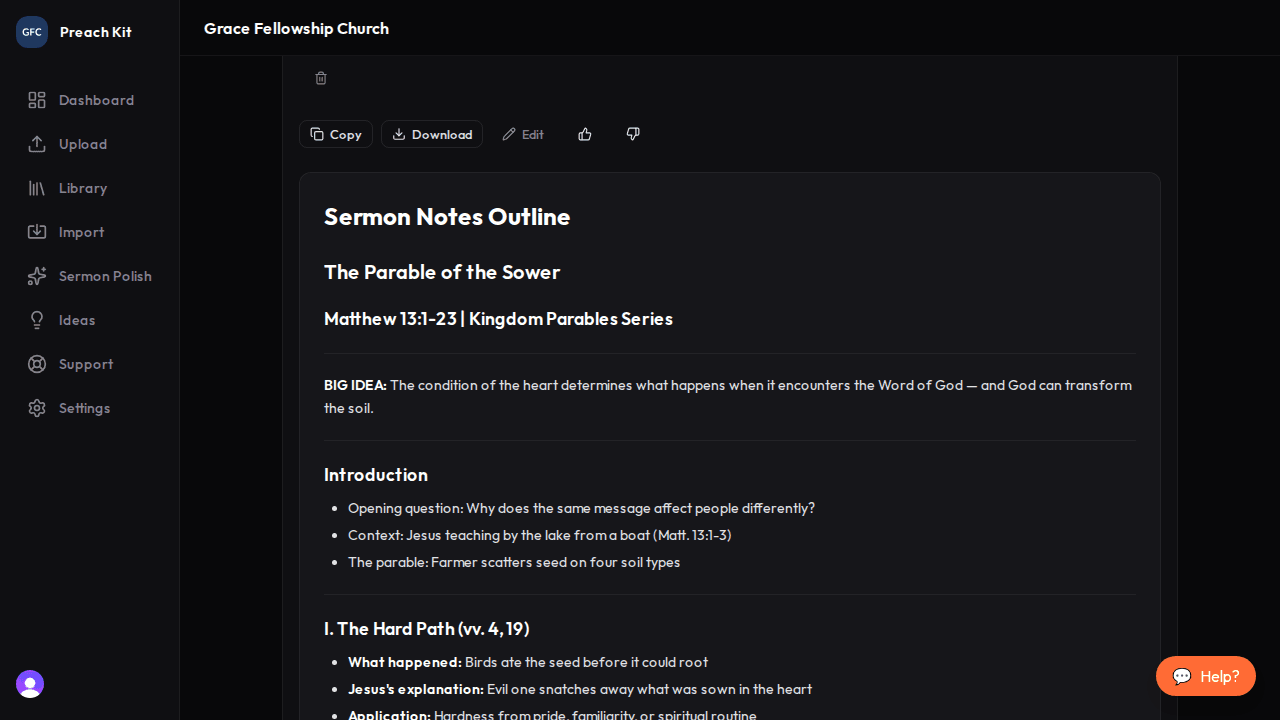
Edit points, sub-points, and blanks directly Download as PDF or copy
Click Download to save a formatted PDF suitable for printing. Click Copy to copy the Markdown text and paste it into Word or Google Docs for further formatting before printing.
Fill-in-the-blank sections engage people who learn by writing. If you upload your sermon notes, PreachKit can identify the exact phrases you used in fill-in-the-blank form — making the handout match what you said from the pulpit precisely.
Tips for Best Results
- Upload your sermon notes or slides before generating. Notes that already contain fill-in-the-blank formatting (underscores) will carry through into the output almost exactly.
- Check the memory verse before distributing — PreachKit selects the most impactful verse, but you know your congregation best. Change it to a verse that will resonate with where your church is right now.
- The outline is also useful for your own records — a clean, structured summary of every sermon you preach, with scriptures and main points, becomes a searchable archive over time.
Plan Availability
The Sermon Outline is available on all paid plans.
Common Questions
Can I regenerate? Yes — click Regenerate. Each regeneration uses one generation credit.
Can I print this directly from PreachKit? Yes — use the Download button to get a PDF. The PDF is formatted for standard letter-size paper and prints cleanly in black and white.
What if my sermon is very informal or conversational? PreachKit will still produce an outline, but the main points may be fewer and the fill-in-the-blank sections more limited. An outline is inherently more structured than a free-flowing conversational message, so some editorial judgment is needed on your part.
What's Next?
Pair your outline with YouVersion Events to put the same structured content in front of your congregation's Bible App, or return to the overview for all 16 content types.