Getting Support
Open a support ticket, track its progress, and know what to expect from the PreachKit support team.
If you run into a problem with PreachKit, the fastest way to get help is to open a support ticket directly from the app. Your ticket goes to the PreachKit team, and all replies are threaded in one place so nothing gets lost in email.
What You'll Learn
- How to open a support ticket using the Help button
- How to find and track your open tickets
- What to expect in terms of response times
Opening a Ticket
Click the Help button
Look for the Help? button floating in the bottom corner of any page inside the app. Click it to open the support widget.

The Help button is available on every page — no need to navigate away Describe your issue
In the widget, give your ticket a short title and describe what you were trying to do, what you expected to happen, and what actually happened instead. The more context you provide, the faster the team can help.
Click Submit to send your ticket.
Tracking Your Tickets
Open Support in the sidebar
Click Support in the sidebar. The page shows all tickets opened by anyone at your church, ordered by most recently updated.
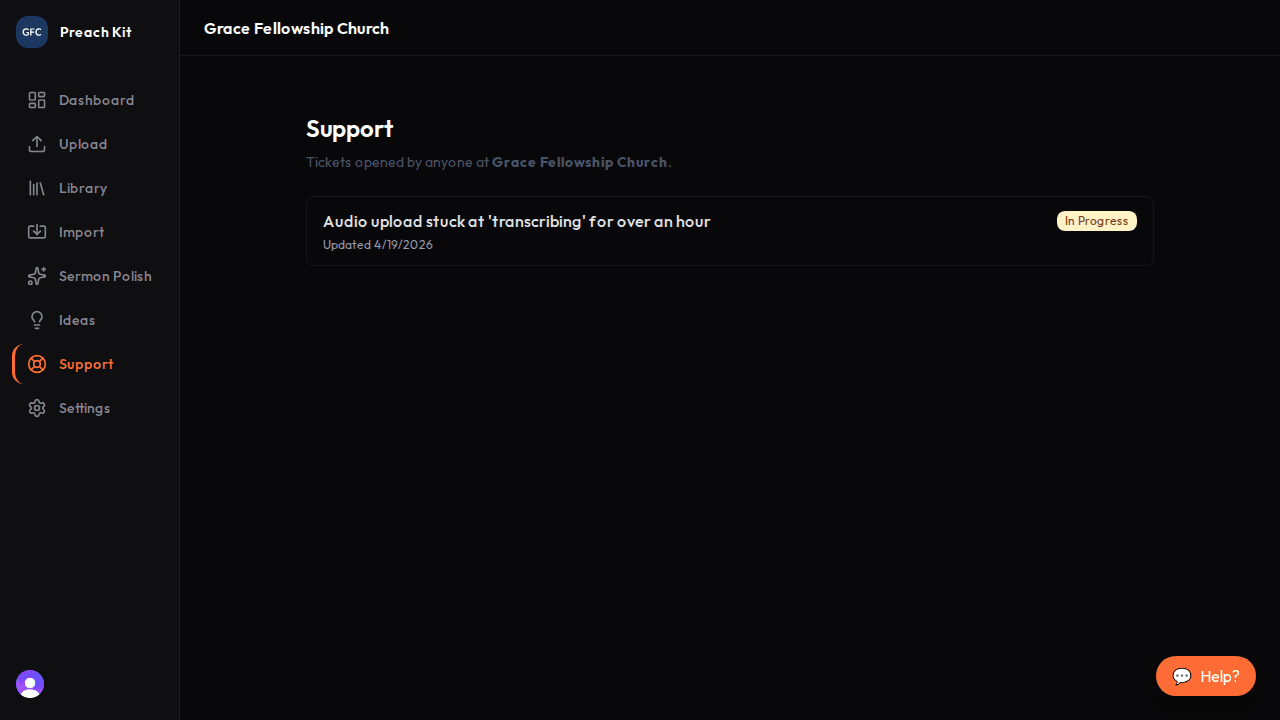
All your church's tickets in one list — unread replies are marked with a blue dot Read and reply
Click any ticket to open the full thread. You can read the team's replies and add follow-up messages from the ticket detail page.
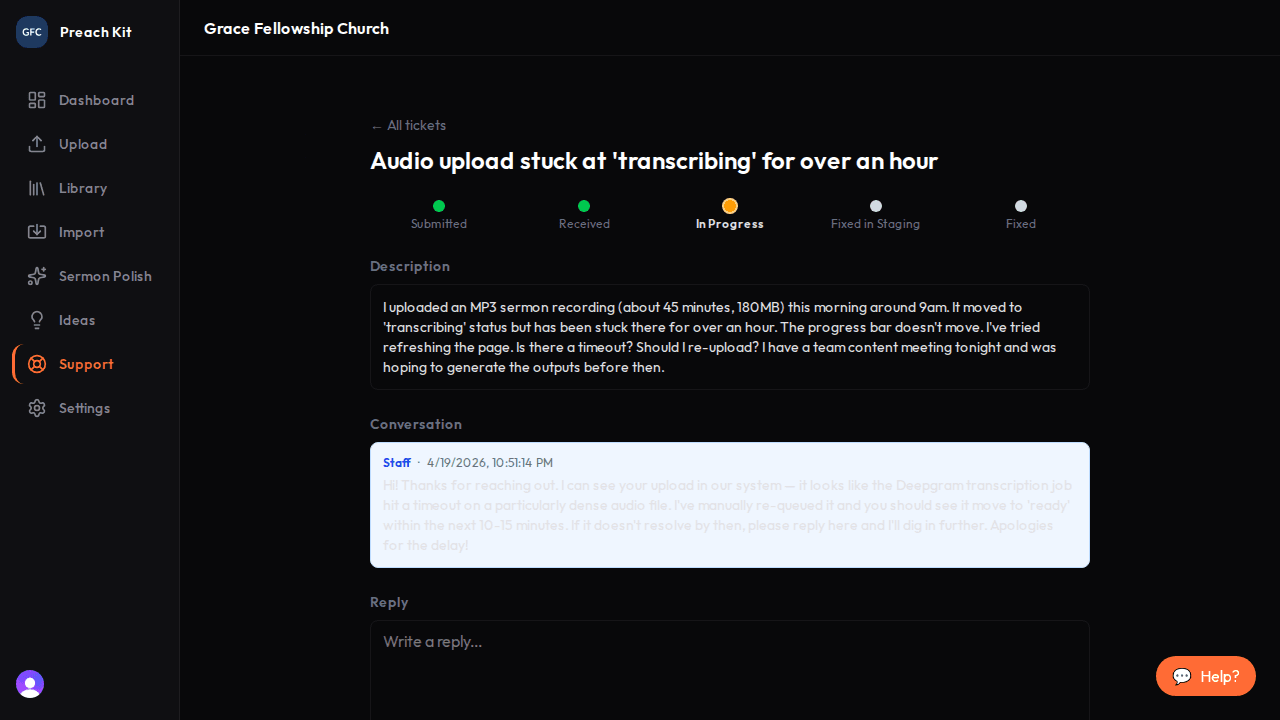
The full conversation — add a reply at the bottom of the thread
Ticket Status Labels
| Status | What it means |
|---|---|
| Open | Received, awaiting a response |
| In Progress | Being actively investigated |
| Needs Info | The team needs more detail from you |
| Resolved | The issue is fixed or answered |
All team members with the Member role or higher can view your church's support tickets. Any team member can open a ticket — support is not limited to the Owner.
Response Times
The PreachKit team aims to respond to all tickets within one business day. Complex issues that require investigation may take longer, but you will receive an acknowledgement quickly so you know the ticket is being looked at.
If you have an urgent billing issue, including the word "billing" in your ticket title helps the team triage it faster.
Common Questions
I don't see a Help button — where is it? The Help button appears on all pages inside the app once you are logged in. If you are on a public page (pricing, landing page) it is not shown. Sign in and navigate to the dashboard, then look in the bottom corner.
Can I email support directly? Tickets opened through the app are the primary support channel and receive the fastest response. If you are unable to log in at all, you can reach the team at the email address listed on the PreachKit website's contact page.
How many tickets can I have open at once? There is no limit on open tickets. However, if multiple tickets cover the same issue, consider adding a reply to the existing ticket rather than opening a new one — it keeps all the context together.
What's Next?
If you have a feature in mind rather than a problem, head to the Ideas board to suggest it or vote on existing requests.