Submitting Ideas
Browse community feature ideas, vote on the ones you want, and submit your own suggestions to help shape PreachKit.
The Ideas board is a public space where PreachKit users suggest features, browse what others have requested, and vote for the things they care about most. Your votes and submissions directly influence what gets built next.
What You'll Learn
- How to browse and sort ideas
- How to vote on an idea
- How to submit your own idea
- What the status labels mean
Browsing Ideas
Open the Ideas board
Click Ideas in the sidebar. The board shows all submitted ideas as cards. Each card displays the idea's title, a short description, its status, its category, and a vote count.
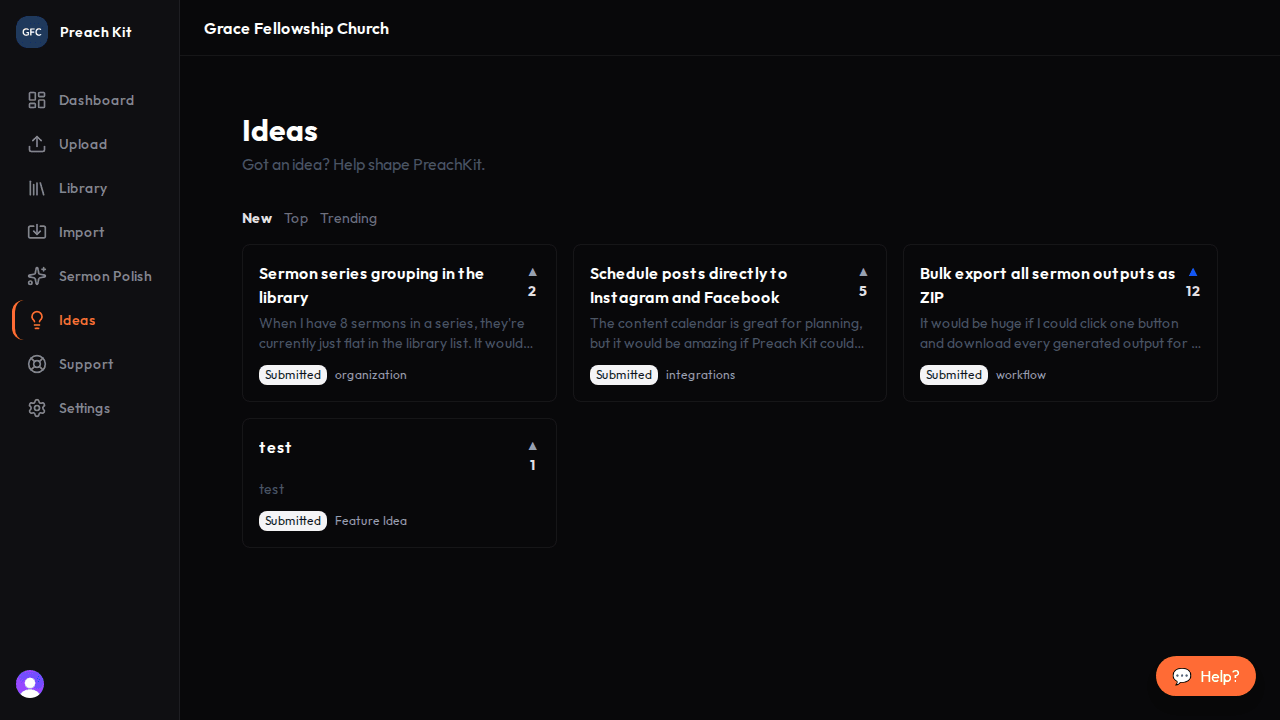
The Ideas board — see what the community is asking for Sort to find what matters
Use the sort tabs at the top to switch between views:
- New — most recently submitted ideas first
- Top — ideas with the most total votes
- Trending — ideas gaining momentum right now
You can also filter by status or category using the controls above the card grid.
Voting on an Idea
Find an idea you would like to support and click the upvote arrow on its card. The count increases immediately. You can remove your vote by clicking again. Voting helps the team prioritize ideas that have broad appeal.

Submitting an Idea
Click Submit idea
On the Ideas board page, look for the Submit idea button. Click it to open the submission form.

Fill in a clear title and description so others can understand and vote Fill in the details
Give your idea a short, specific title and a description that explains the problem it solves or the outcome you are hoping for. Choose the most relevant category from the dropdown.
Click Submit. Your idea appears on the board right away with a Submitted status.
Status Labels
Each idea moves through a set of statuses as the team reviews and acts on it:
| Status | What it means |
|---|---|
| Submitted | Received and awaiting review |
| Needs Info | The team has a question before moving forward |
| In Progress | Actively being worked on |
| Fixed in Staging | Built and being tested |
| Fixed in Production | Live for all users |
| Declined | Not planned — the idea card explains why |
Search the board before submitting to avoid duplicates. If you find your idea already submitted, vote on it instead — duplicate votes on one idea carry more weight than two separate submissions.
Common Questions
Do I need to be logged in to vote or submit? Yes. Voting and submitting require a PreachKit account. Browsing the board is open to anyone.
Can I edit my idea after submitting? Editing is not currently available after submission. If you made a mistake, submit a corrected version and note in the description that it replaces an earlier submission.
Will I be notified when my idea's status changes? Status notifications are planned for a future release. For now, check back on the board to see if your idea has moved.
What's Next?
If you have a problem or need help with something in PreachKit, see Getting Support to open a support ticket.