Understanding Plans
Compare Free, Starter, and Growth plans — what each includes, usage limits, and how to upgrade when you are ready.
PreachKit uses a credit-based system to measure usage. Each plan comes with a set number of sermon credits per month — each credit covers one sermon processed end-to-end, no matter how many output types you generate from it.
What You'll Learn
- What sermon credits are and how they are counted
- What each plan includes
- How the 14-day free trial works
- How to upgrade or change your plan
Plans at a Glance
Free — no charge, no card required. You receive a small number of lifetime credits to try the service. Output type selection is limited. Ideal for exploring PreachKit before committing.
Starter — the most popular paid plan. Includes a fixed number of sermon credits per month, access to all output types, and content scheduling. A 14-day free trial is available if your church has never had a paid subscription before.
Growth — for churches processing more sermons or needing higher monthly throughput. Includes everything in Starter plus ministry analytics, polish trends, and a higher monthly credit allocation.
You can switch to Yearly billing on any paid plan to save the equivalent of two months' cost.
How Sermon Credits Work
One credit is consumed each time you click Upload and generate (or import from YouTube). The credit covers all selected output types — generating five pieces of content from one sermon costs the same as generating one.
Credits reset at the start of each billing period. Any credits you purchase as extras roll over and are used after your monthly allocation runs out.
Your current credit balance is always visible in the Account Health strip at the top of your dashboard.

The 14-Day Free Trial
If your church has never had a Starter or Growth subscription, you will see an offer to start a free trial when you visit the pricing page. The trial gives you full access to your chosen plan for 14 days. A card is required to start the trial, but you will not be charged until the trial ends.
During the trial you receive 2 sermon credits to use. If you cancel before day 14, you will not be billed.
Upgrading Your Plan
Open the pricing page
From your dashboard, click your plan name in the Account Health strip, then choose Change plan — or navigate to
/pricingdirectly.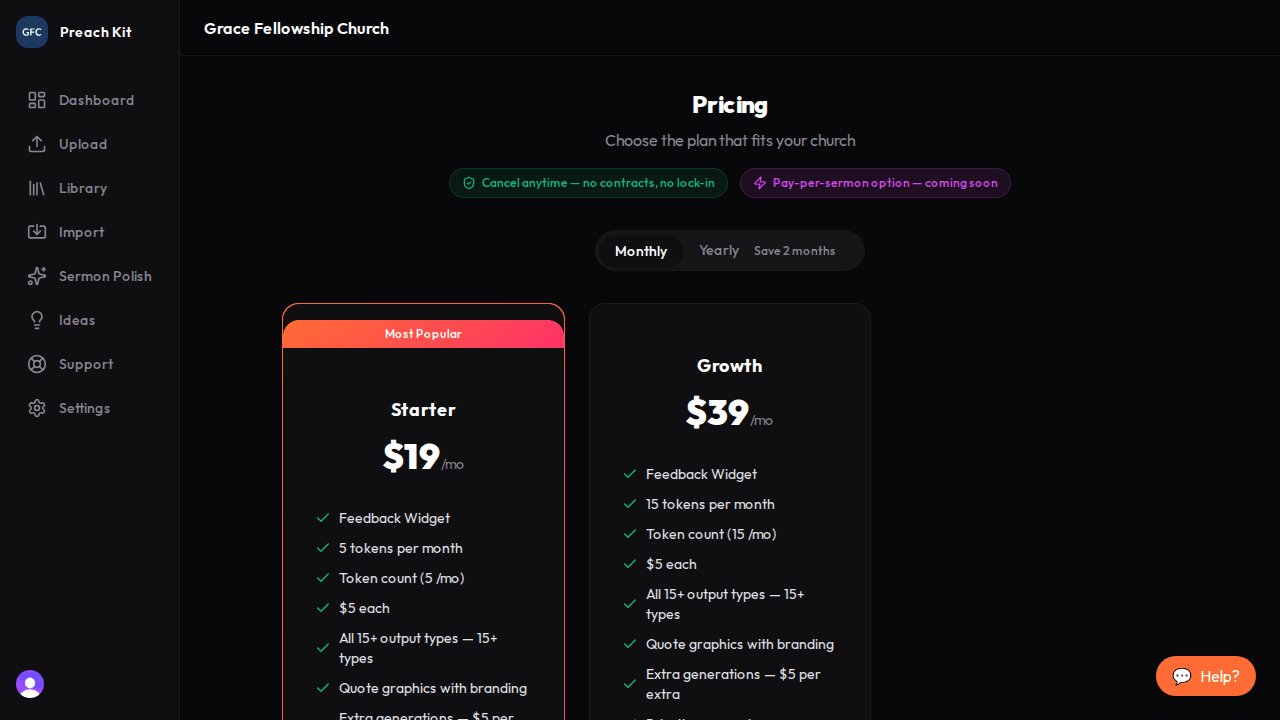
The pricing page — compare plans side by side Choose monthly or yearly billing
Use the Monthly / Yearly toggle at the top of the page. Yearly billing shows the discounted annual price.
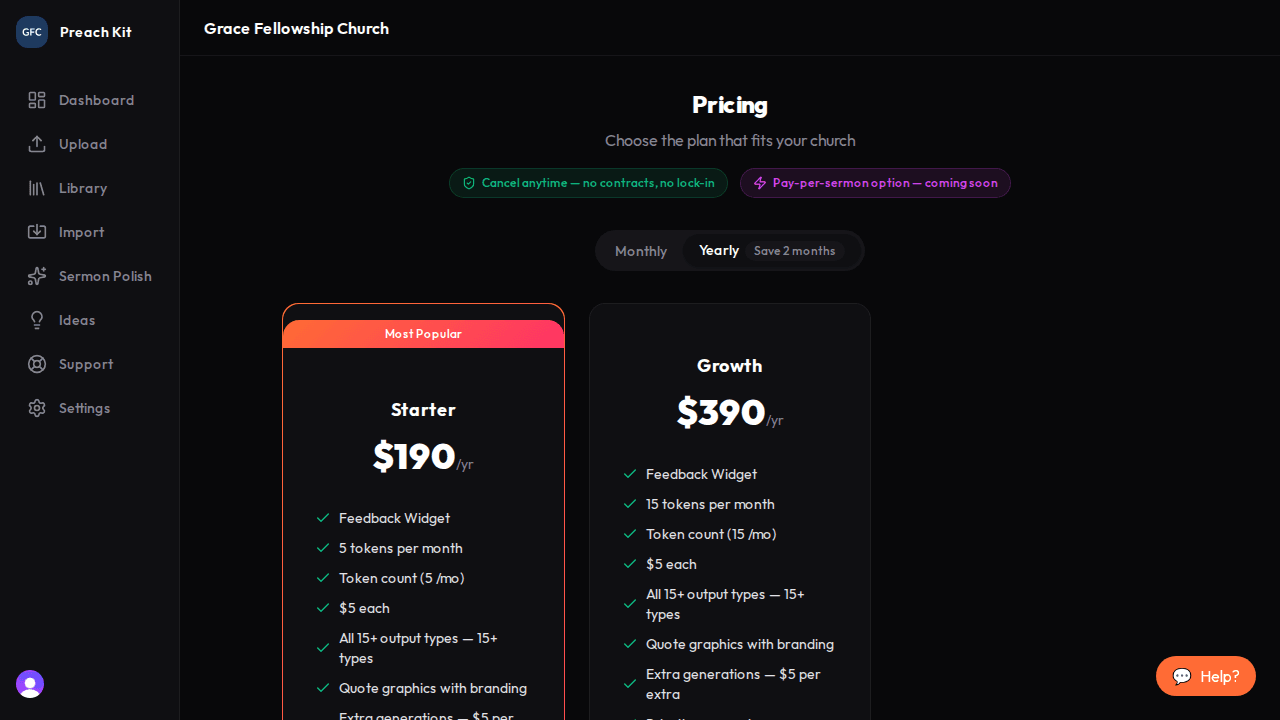
Switch to yearly to save two months' cost Select your plan
Click Get Started (or Start 14-day free trial if eligible) on the plan you want. If you are already on a paid plan, you will see a proration preview showing exactly how much will be charged or credited today before you confirm.
Owners can manage billing; team members with the Viewer or Editor role cannot see or change the plan.
Common Questions
What happens when I run out of credits? You will see an alert when you try to upload a new sermon. You can purchase additional credits one-time from the pricing page, or wait until your credits reset at the start of the next billing period.
Can I downgrade? Yes. Select a lower plan on the pricing page. A proration credit for your unused time will be applied to your next invoice.
Do unused credits roll over? Monthly plan credits do not roll over at the end of the billing period, but any extra credits you purchase separately do roll over indefinitely.
What's Next?
Get familiar with navigating the dashboard to track your credit usage and find your processed sermons.