Search and Filter
Use the search bar, filter panel, and sort options in the Sermon Library to quickly find any sermon in your archive.
As your archive grows, the ability to search and filter becomes essential. The Sermon Library lets you search by free text, narrow results by topic, series, speaker, or scripture reference, and sort your results in the order that makes most sense for your task.
What You'll Learn
- How to search by keyword across titles, speakers, scripture, and topics
- How to filter by topic, series, speaker, or scripture reference
- How to change the sort order
- How to clear active filters
Step-by-Step
Search by keyword
At the top of the library, type into the search bar. You can search across sermon titles, speaker names, scripture references, and topics. Press Search or hit Enter to apply.
The total count at the top of the page updates to show how many sermons match your query.
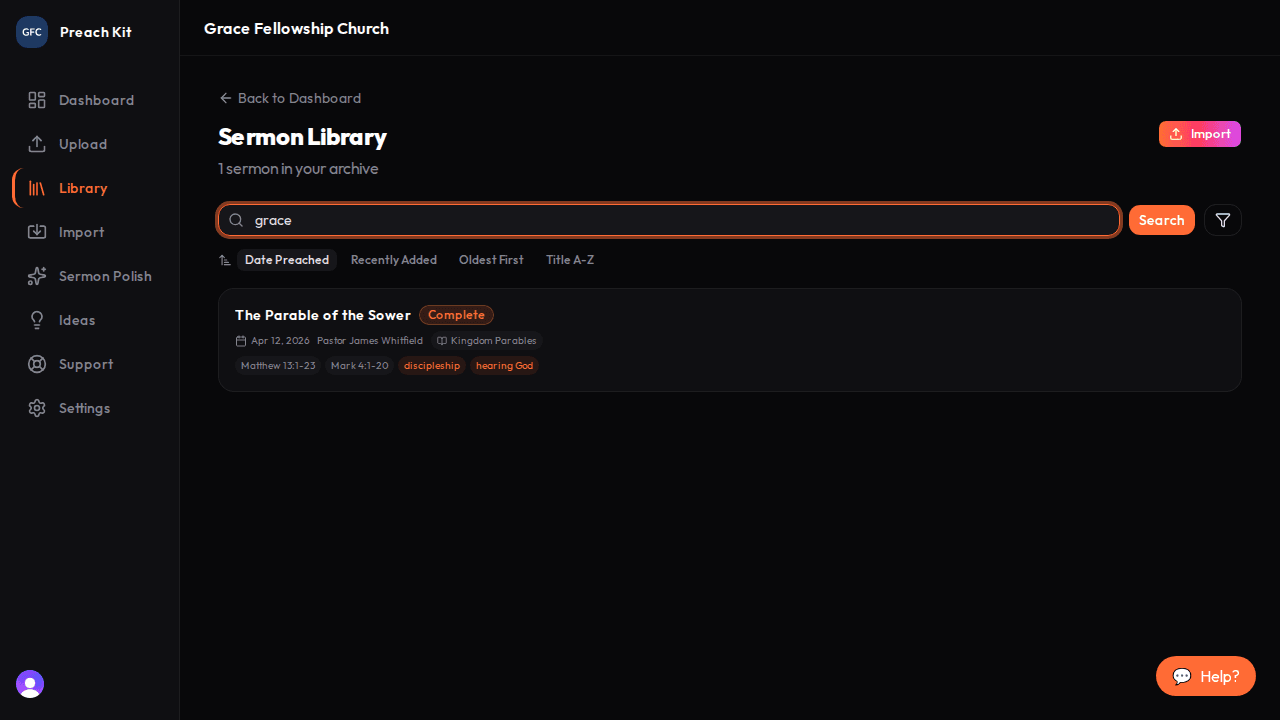
The search bar searches titles, speakers, scriptures, and topics simultaneously Open the filter panel
Click the Filter button (the funnel icon) to the right of the search bar. A panel expands below the search row showing all available filter categories:
- Topics — AI-assigned topic tags across your library
- Series — every series name found in your archive
- Speakers — all speaker names on record
- Scripture — scripture references that appear across sermons
Click any tag to activate that filter. The selected tag turns orange. Click it again to deselect.

The filter panel shows all available values drawn from your actual archive Change the sort order
Below the search bar you will see a row of sort buttons:
Option What it does Date Preached Sermons ordered by the date they were preached (default) Recently Added Sermons in the order they were added to the system Oldest First Earliest added sermons at the top Title A-Z Alphabetical by title Click any option to switch instantly — no need to re-run a search.
Review and clear active filters
When any filter is active, a row of colored pills appears above the sermon list showing exactly what is applied — for example "Search: grace" or "Topic: salvation". Click the X on any pill to remove just that filter, or click Clear filters to reset everything at once.

Active filter pills make it easy to see what is applied and remove individual filters
You can combine search and filters at the same time. For example, search for "hope" and then filter by a specific speaker to see only that speaker's sermons on that theme.
Common Questions
Why doesn't my new sermon appear in topic or scripture filters yet? Topic and scripture tags are assigned automatically after a sermon finishes processing. A sermon that is still transcribing or generating will not appear in those filter lists until it reaches the Complete or Partial status.
Can I filter by status (such as only showing failed sermons)? Status filtering is not available on the library page. To review failed sermons, check the Needs Attention section on your dashboard.
How many topics and scripture references appear in the filter panel? The panel shows up to 20 of the most common values for topics and scripture references. If you do not see the one you want, use the search bar instead — it searches across all values.
What's Next?
Ready to add more sermons? Run another one through Analyze Sermon — it handles uploads and YouTube imports in the same flow.