Applying Promo Codes
Redeem a promo code to unlock bonus tokens or activate a special plan — takes about ten seconds.
If you have received a promo code — for example at a conference, through a referral, or as part of a special offer — you can redeem it directly from your billing settings. Codes typically grant bonus generation tokens or activate a plan upgrade.
What You'll Learn
- Where to find the promo code input
- How to apply a code
- What happens after a code is successfully redeemed
Step-by-Step
Open Billing Settings
Go to Settings > Billing. Scroll down until you see the Have a promo code? section.
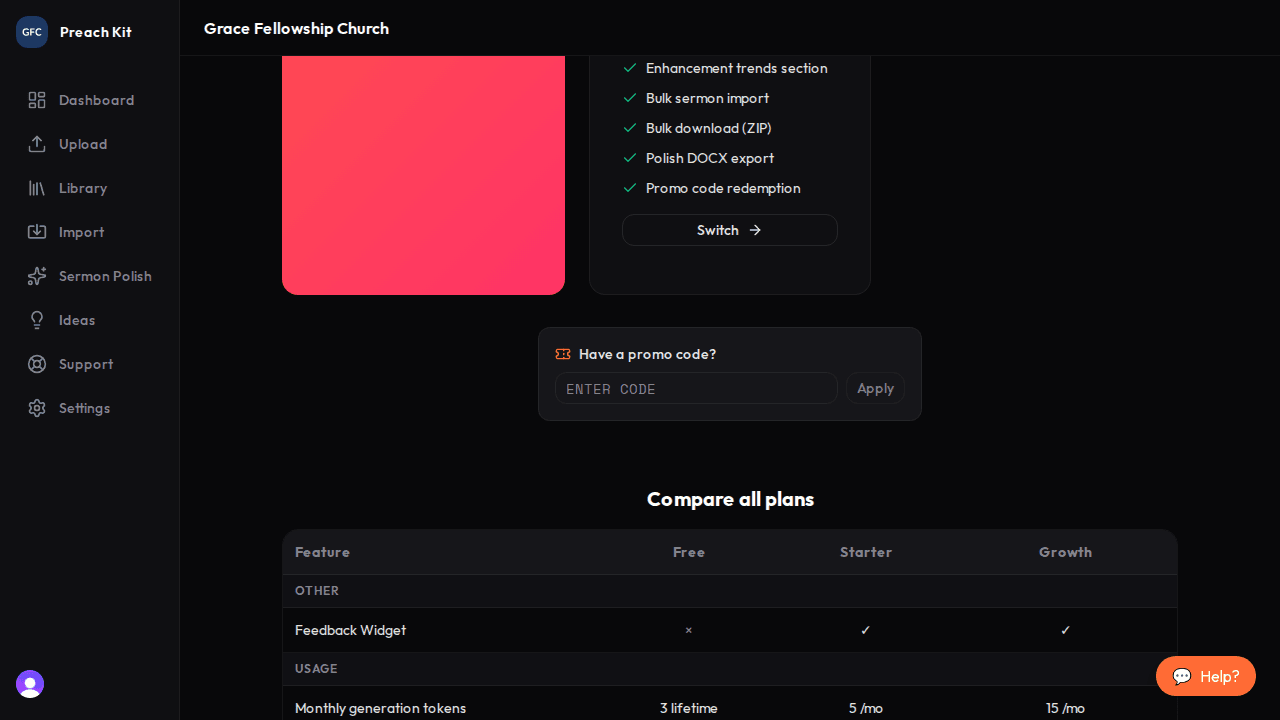
The promo code input — scroll down in billing settings to find it Enter your code
Type or paste your promo code into the text field. The field accepts codes in any case — you do not need to type in capitals. Click Apply.
Check the result
If the code is valid, a green confirmation message appears showing exactly what was granted — for example, "Code applied! 10 bonus tokens" or "Code applied! Starter plan activated".

A clear confirmation message tells you what the code unlocked If the code is not recognised or has already been used, a red error message explains what went wrong.
After applying a code, your token balance or plan status updates immediately. You may need to refresh the page to see the new balance reflected in the billing summary.
Common Questions
Where can I get a promo code? Codes are distributed through PreachKit promotions, partner referrals, and occasional events. If you believe you should have a code, reach out to whoever gave you the offer.
Can I apply more than one code? Each code can only be applied once per account. Whether multiple different codes can be stacked depends on the specific offer — the system will tell you if a code cannot be combined.
My code says it's invalid — what should I do? Double-check for typos and make sure you are signed in to the correct church account. If the code still doesn't work, contact support with the code you received and where you got it from.
Can a team member apply a promo code? The promo code input appears in billing settings, which only the Owner can access. Ask your Owner to apply the code on your behalf.
What's Next?
Learn more about what each plan includes in Plans and Pricing, or get help from the support team via Getting Support.